The request form contains multiple fields that require completion. Below is a detailed explanation of each section.
1. Request title - The title/name of the request. Gives a brief idea about the request.
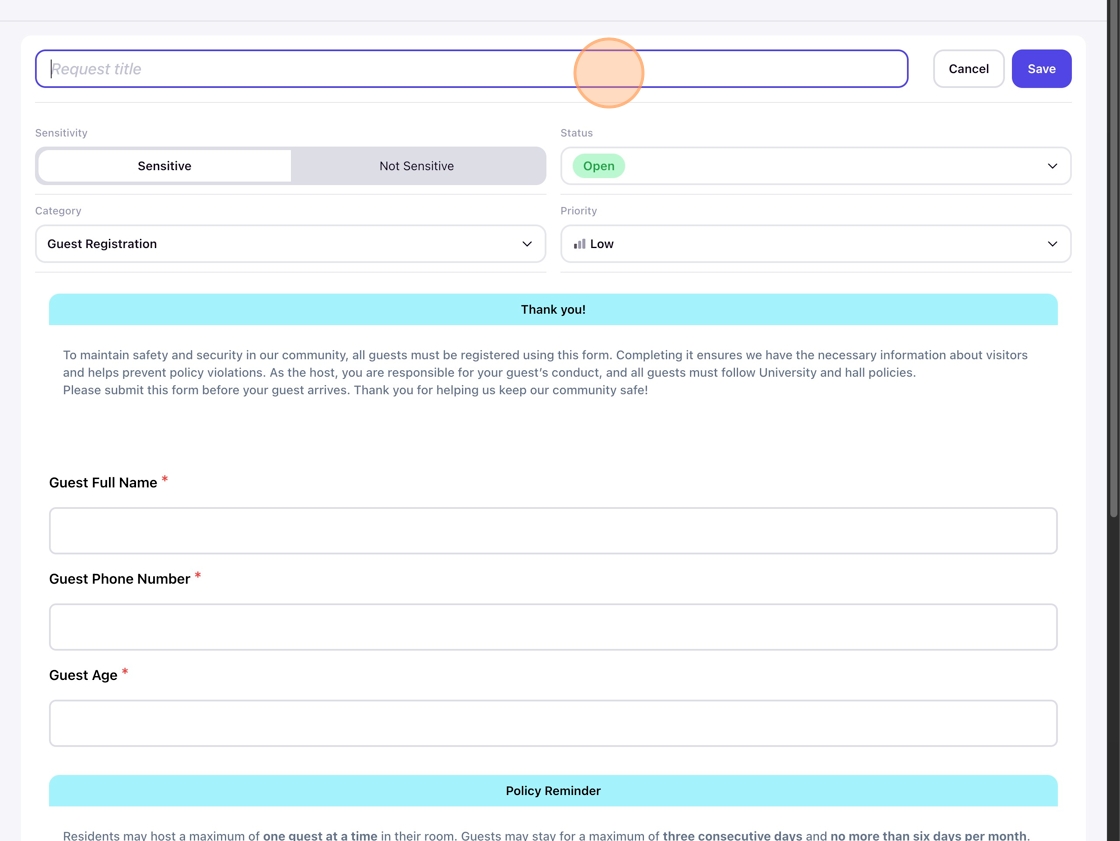
2. Sensitivity - Requests can be marked as sensitive or non-sensitive. Requests marked as sensitive will be dealt with utmost care and privacy.

3. Status - Every request is assigned a status based on their stage. The status could be Open, Cancelled, Need more info, Draft, Closed, or Resolved.

5. Category - Requests can belong to any of the below categories. For example, if a guest is going to visit a student, the student will create a guest registration request.

6. Priority - Requests are assigned a priority at the time of creation, which could be between low and urgent. The urgent requests are the highest priority.

7. The other fields would be specific to a category. For example, a guest registration request would have these fields.


See Creating a Support Request for submitting a new support request.