The capacity requirement setting prevents students from selecting rooms that don't match their group size during room self-selection. When enabled, a group of three students cannot choose a four-bed room—they can only select rooms with exactly three beds. This feature works for both rommatte groups and individuals.
This feature helps maximize occupancy and prevents students from reserving larger spaces than needed during high-demand selection periods.
This feature must be enabled for your organization before you can configure it. Contact your Housing.Cloud account manager if the settings described below are not visible.
When to use capacity requirements
Enable capacity requirements when:
- You need to maximize bed utilization during peak enrollment periods
- You want to prevent groups from "holding" extra beds in larger rooms
- You're running multi-phase selection and need strict capacity matching as a tie-breaker
Leave it disabled if you want flexibility for students to select into rooms with open beds, allowing for future roommate additions.
Configure phase-level capacity enforcement
Phase-level enforcement gives you granular control over individual selection phases within a cycle.
In the same Room Self-Selection Settings tab, scroll to the phase you want to configure. Each assignment phase has a checkbox labeled Require selection size to match room capacity under the Room Selection Rules section.
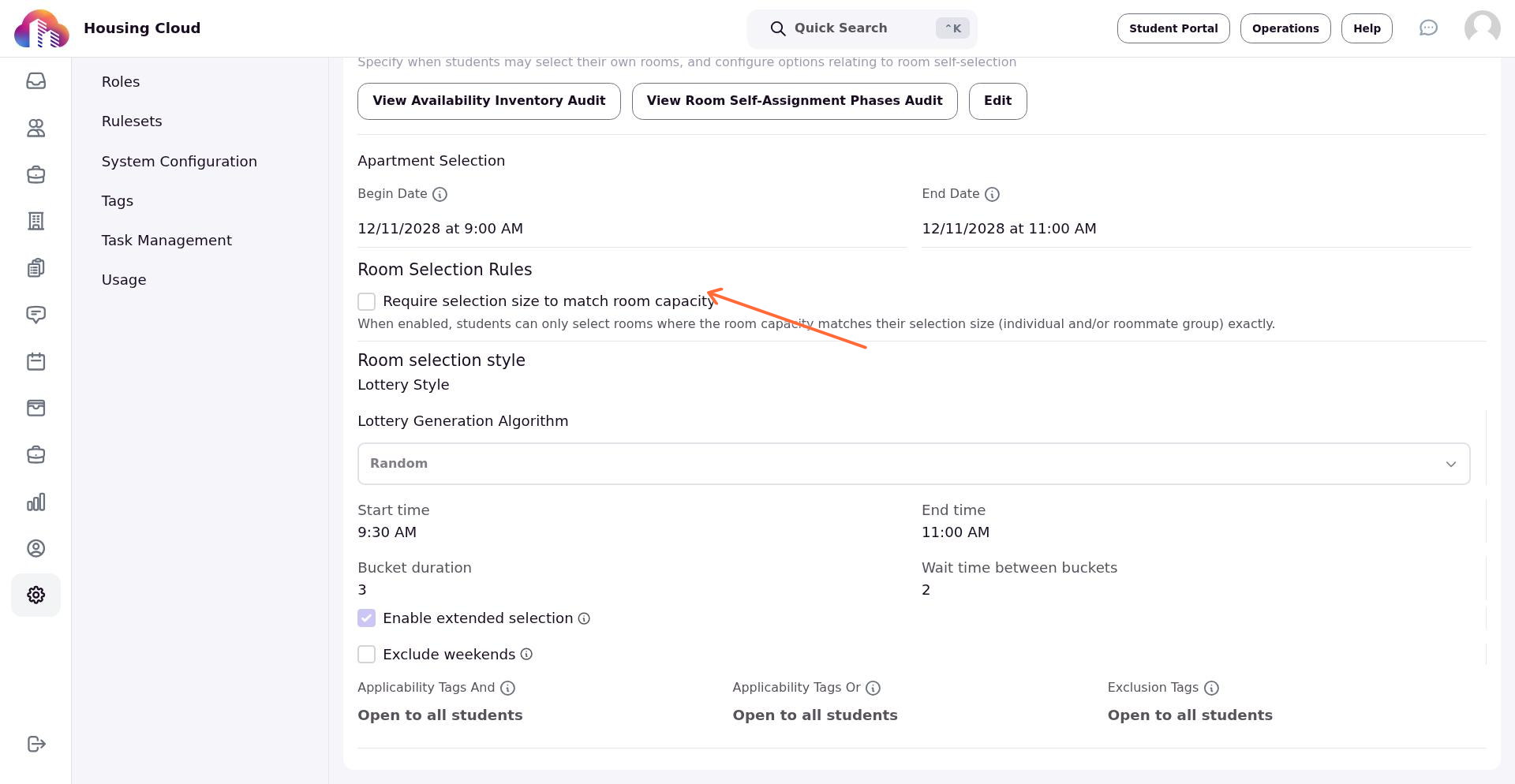
Check this box to enforce exact capacity matching for that specific phase. When enabled, students in that phase can only select rooms where the capacity exactly matches their group size (individual or roommate group).
You can enable this setting for some phases and leave it disabled for others, depending on your selection strategy.
Use phase-level enforcement for high-priority selection phases (like returning students) and leave it disabled for later phases to give remaining students more options.
How enforcement works
When capacity requirements are enabled, the system validates every room selection:
- A solo student can only select a single-occupancy room
- A group of two can only select a double
- A group of three can only select a triple
If a student or group attempts to select a room that doesn't match their size, they'll see an error: "Capacity requirement not met for size: [X]."
The validation applies automatically during self-selection, lottery processing, and matching group assignments. No additional configuration is needed once you save the cycle settings.
Configure cycle-level capacity enforcement disambiguation
The cycle-level setting acts as a tie-breaker when students are eligible for multiple phases with overlapping selection windows.
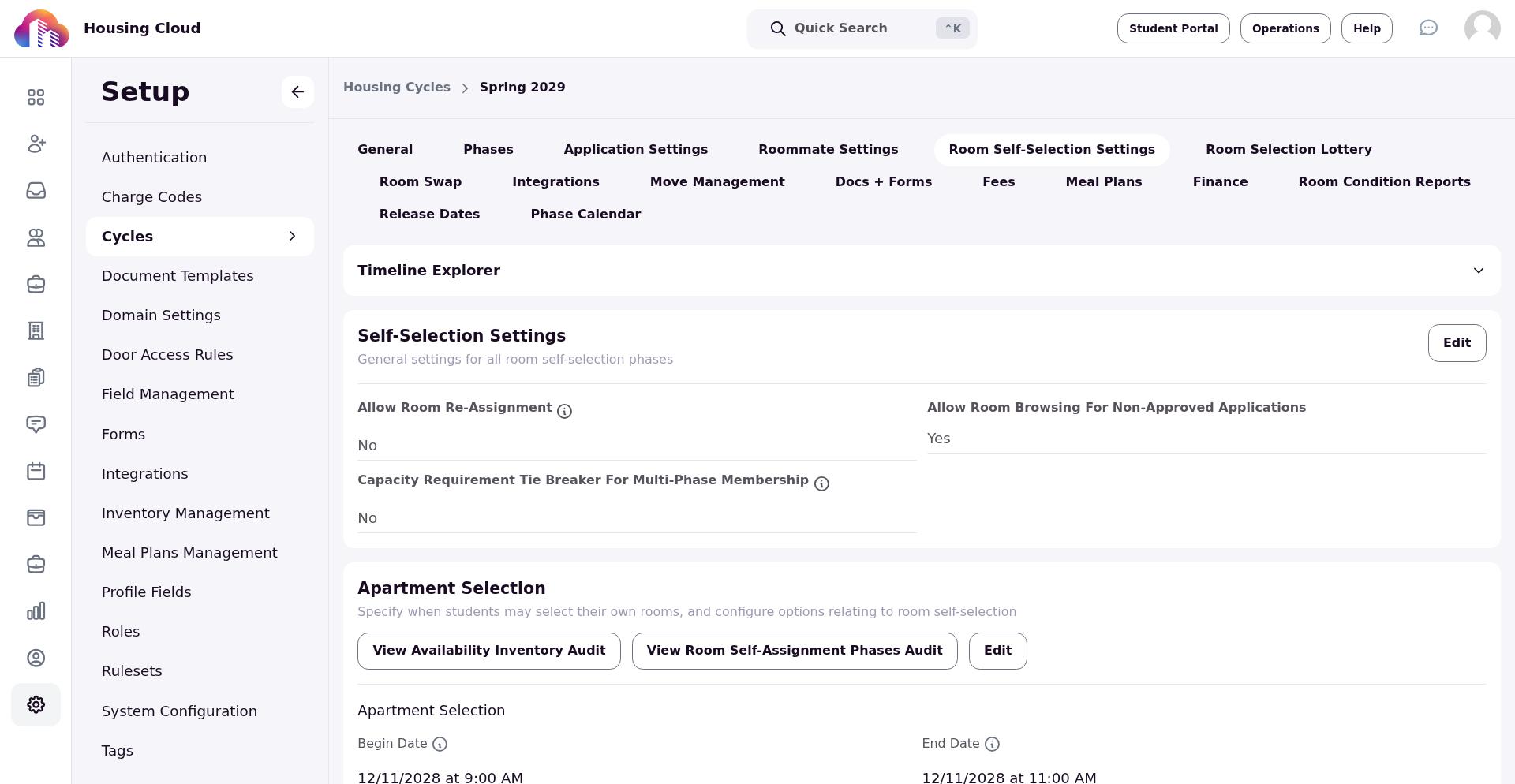
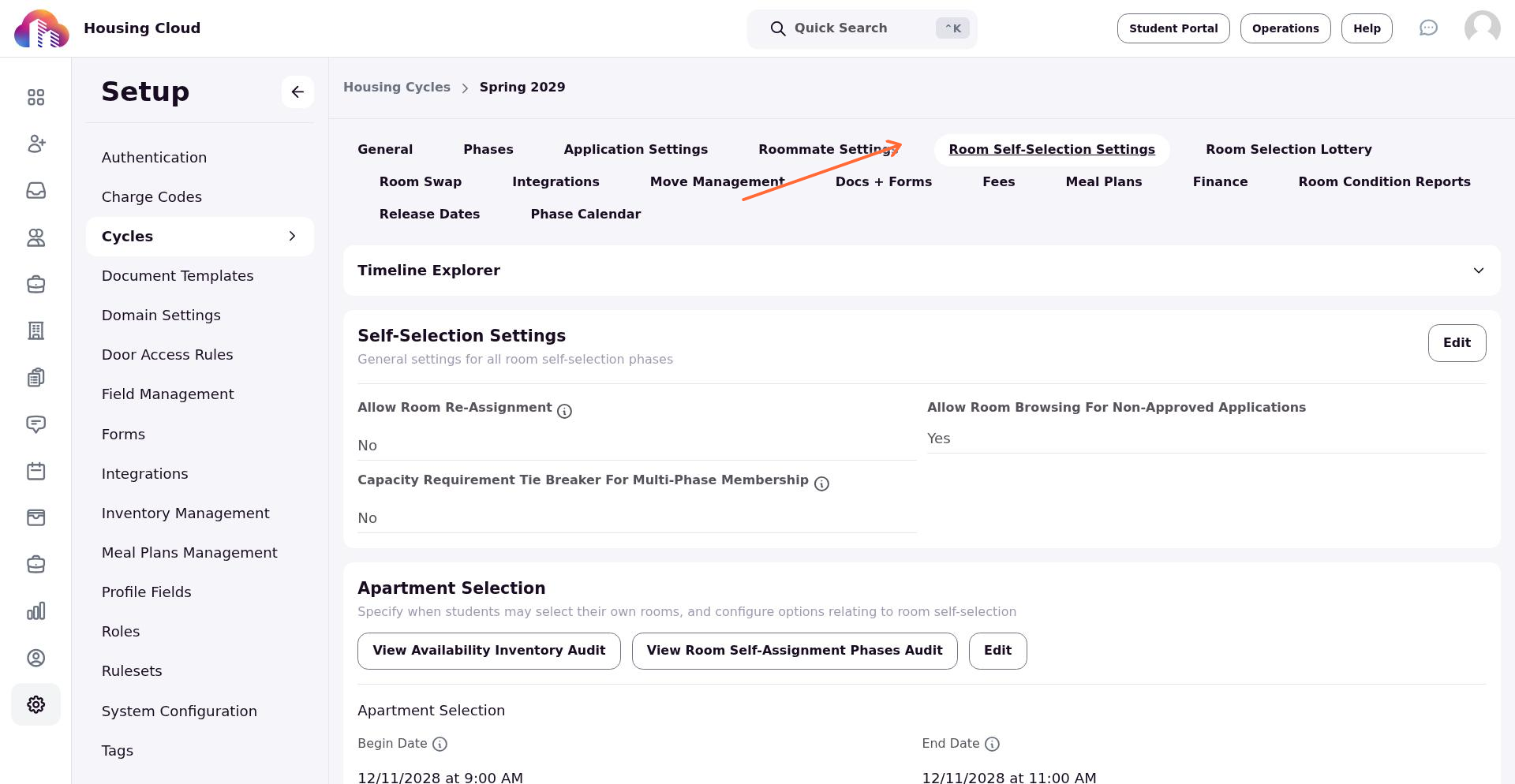
Navigate to Setup > Housing Cycles and open the cycle you want to configure. Click the Room Self-Selection Settings tab.
In the Self-Selection Settings card, find the Capacity Requirement Tie Breaker for Multi-Phase Membership dropdown.
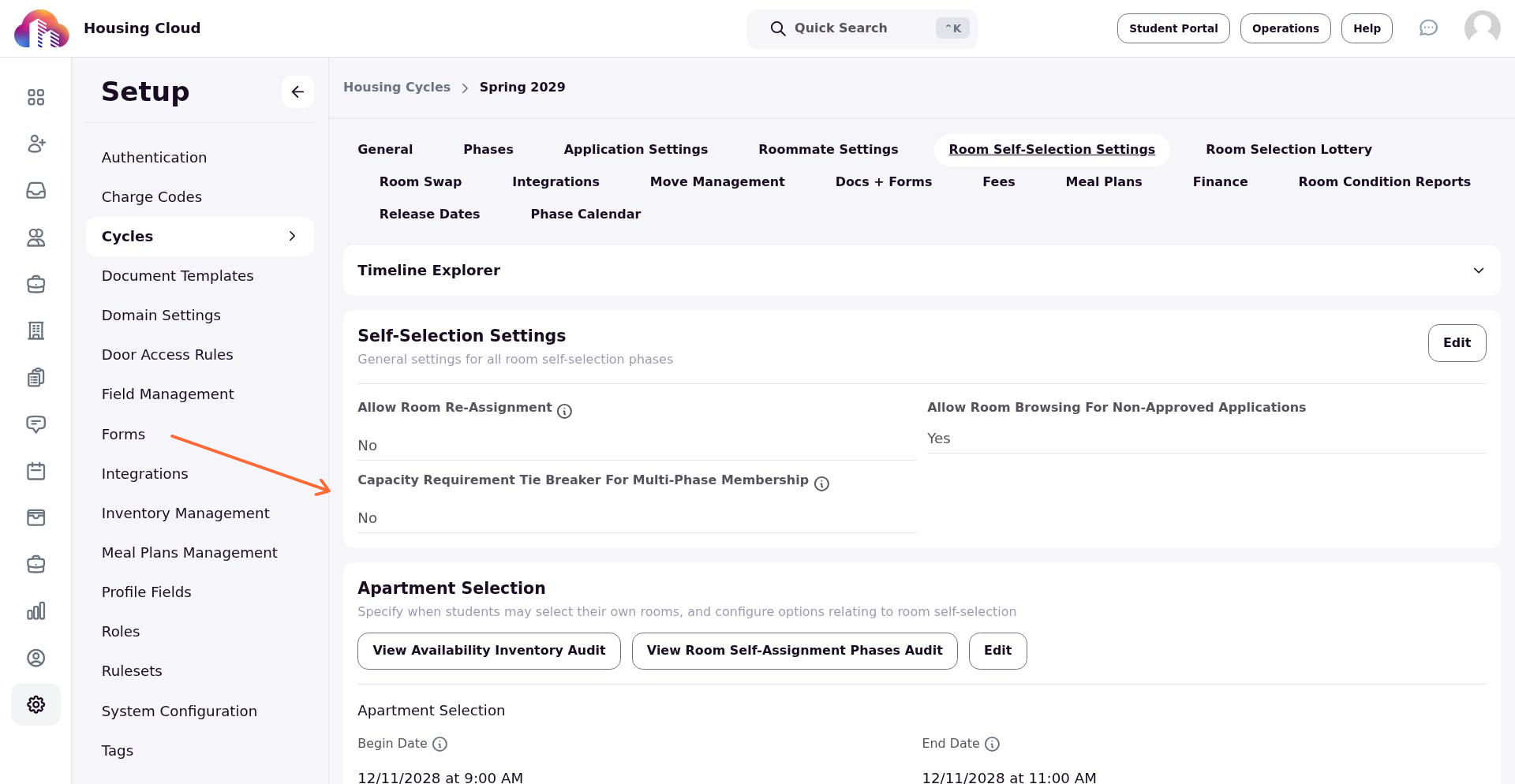
Set it to Yes to enforce strict capacity matching across all active, overlapping phases, or No to disable capacity matching requirements. This setting applies globally to the entire housing cycle and influences how the system resolves conflicts when students qualify for multiple selection phases.
Enabling capacity requirements mid-cycle may prevent students from completing in-progress selections. Enable these settings before opening room selection to avoid disruption.